
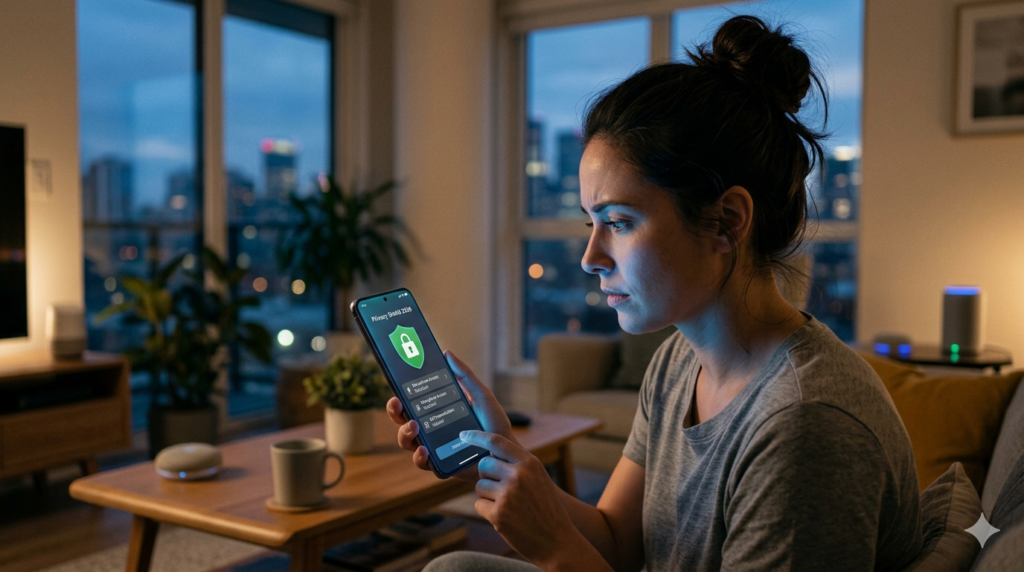
In today’s digital world, I often wondered, “Is your phone listening to you?” because I personally experienced something strange. I talked about buying headphones with a friend, and suddenly I started seeing ads for them. At first, I thought it was just a coincidence. However, after repeated experiences, I decided to explore how smartphones actually collect data. This curiosity pushed me to test privacy settings on my own device. As a result, I discovered some surprising truths about mobile tracking.
After using different privacy tools and settings, I realized that phones are not exactly “listening” all the time, but they do collect a lot of data. In fact, apps, voice assistants, and permissions play a huge role in this process. Therefore, understanding how to protect your privacy in 2026 has become more important than ever. In this guide, I will explain everything clearly. Moreover, I will share practical steps that you can apply immediately.
Is Your Phone Listening to You in 2026? (Reality Explained Clearly)
Many people believe their phone is secretly recording conversations. However, the truth is slightly different.
What actually happens:
- Smartphones use microphone access only when permitted
- Apps track your search history, location, and behavior
- AI algorithms predict your interests based on activity
- Voice assistants activate only with trigger words
- Data is collected mainly for targeted advertising
Therefore, it may feel like your phone is listening, but it is mostly data tracking and AI prediction, not constant spying.
Why Do You See Ads After Talking About Something?
This is one of the biggest concerns in mobile privacy.
Main reasons include:
- Search behavior tracking
- Social media activity monitoring
- Location-based targeting
- Cross-device data sharing
- AI-powered ad personalization
For example:
- You search for shoes → Ads appear
- Your friend searches → You still see related ads
- You visit a store → Location triggers ads
In short, your data creates a digital profile, which advertisers use effectively.
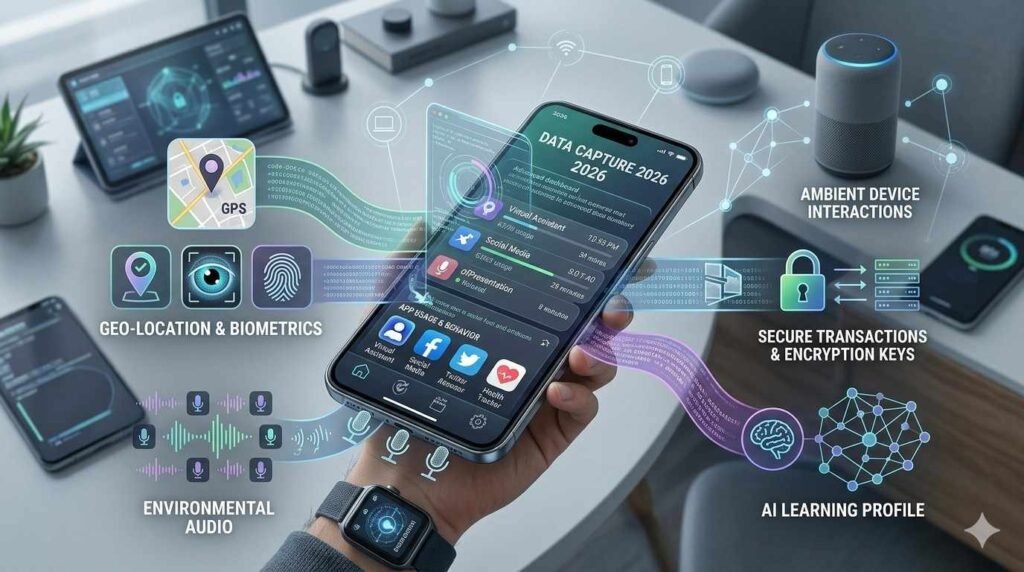
How Smartphones Collect Your Data in 2026?
Understanding this helps you protect yourself better.
Key data collection methods:
- App permissions (microphone, camera, contacts)
- Cookies and tracking pixels
- Voice assistant recordings
- Background app activity
- Cloud synchronization
Example:
- A weather app tracks location
- A social app tracks behavior
- A shopping app tracks preferences
As a result, your phone builds a complete digital identity.
How to Protect Your Privacy in 2026 (Step-by-Step Guide)?
Now let’s focus on solutions. These steps are practical and effective.
1. Control App Permissions Carefully
- Go to settings → privacy → permissions
- Disable unnecessary microphone access
- Allow access only when app is in use
2. Turn Off Voice Assistants When Not Needed
- Disable “Hey Siri” / “OK Google”
- Limit background listening features
- Review voice history regularly
3. Use Privacy-Focused Apps and Browsers
- Switch to secure browsers
- Use encrypted messaging apps
- Avoid unknown or suspicious apps
4. Disable Personalized Ads
- Turn off ad personalization in settings
- Reset advertising ID frequently
- Limit tracking across apps
5. Update Your Phone Regularly
- Install latest security updates
- Fix vulnerabilities instantly
- Keep apps updated
6. Restrict Background Activity
- Stop apps from running in background
- Disable auto-start permissions
- Monitor battery usage (hidden trackers)

Advanced Privacy Tips for 2026 (Pro Level Protection)
If you want stronger privacy, follow these advanced steps:
Advanced strategies:
- Use a VPN for secure browsing
- Enable two-factor authentication (2FA)
- Use app tracking transparency features
- Encrypt your device storage
- Avoid public Wi-Fi without protection
These steps significantly reduce your digital exposure.
Common Myths About Phone Listening (Debunked)
Let’s clear some confusion.
Myth vs Reality:
- ❌ Phones record everything → ✅ Only with permission
- ❌ Ads come from conversations → ✅ Mostly from data tracking
- ❌ Airplane mode stops tracking → ✅ Limited but not complete
- ❌ Deleting apps removes data → ✅ Data may still exist in servers
Therefore, awareness is more powerful than fear.
Signs Your Phone Privacy Might Be at Risk
Watch out for these warning signs:
Red flags:
- Apps requesting unnecessary permissions
- Sudden increase in targeted ads
- Battery draining quickly
- Unknown apps installed
- Phone overheating without reason
If you notice these, take action immediately.
Conclusion
In 2026, the question “Is your phone listening to you?” is more about data tracking than actual spying. Smartphones collect information through apps, permissions, and AI systems to personalize your experience. However, you can take control by adjusting settings, limiting permissions, and using privacy tools. By staying aware and proactive, you protect your digital life effectively. Ultimately, privacy is not automatic—it requires smart choices and consistent action in today’s connected world.
FAQs
1. Is my phone always listening to me?
No, your phone only uses the microphone when apps have permission or when voice assistants are activated.
2. Why do ads match my conversations?
It’s mostly due to data tracking, browsing history, and AI predictions—not direct listening.
3. How can I stop my phone from tracking me?
Disable permissions, turn off ad personalization, and use privacy-focused apps.
4. Are voice assistants dangerous?
They are safe if managed properly, but you should limit their access and review settings.